
01 layer
capabilities
the workflows it can run on demand
03 playbooks
—
stands on its own
What is Git branching strategy?
A branching strategy is the set of rules a team agrees on for when branches get created, what they are called, and how they get back into the default branch. It usually carries the code review and deployment rules with it, because those are what a merge depends on.
Without one, everyone invents their own, and the cost shows up as merge conflicts and as nobody being sure what is currently in main.
Git branching strategy
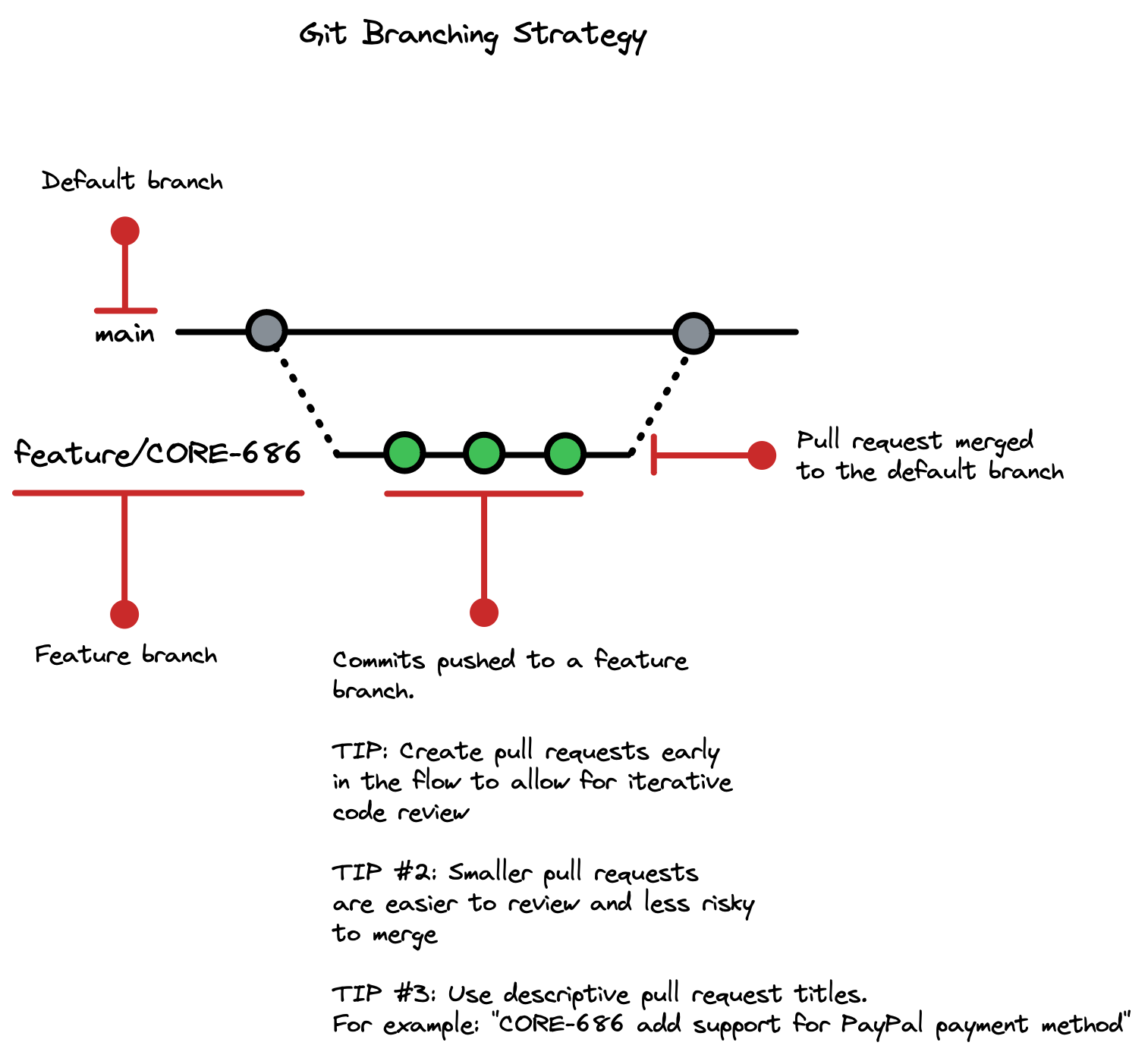
Our remote development team will use the following Git branching strategy:
-
Work done in the feature branch
- All work will be done in feature branches, created from the
mainbranch. - The name of the feature branch should clearly indicate the feature it is associated with.
- All work will be done in feature branches, created from the
-
Pull request created for a feature branch
- When a feature is completed and ready for review, the feature branch should be pushed to the remote repository and a pull request should be opened to merge it into the
mainbranch. Read about naming convention for a git branch in a next section. - When creating a pull request use clear and descriptive pull request title that includes issue id. For example like: "CORE-686 add support for PayPal payment method"
- When a feature is completed and ready for review, the feature branch should be pushed to the remote repository and a pull request should be opened to merge it into the
-
Code review of a pull request
- All code changes in the feature branch should be reviewed by at least one other team member before being merged into the
mainbranch. - The feature branch should always have a green CI pipeline, indicating that the code has no known issues and ready for merge into
mainbranch.
- All code changes in the feature branch should be reviewed by at least one other team member before being merged into the
-
(Optional) Review feature branch in a dynamic environment
- Feature branch is deployed to a dynamic environment for QA and product review
-
Pull request is merged into
main- Code from the
mainbranch continuously deployed to lower test environments for further testing, validation and review.
- Code from the
Git branch naming conventions
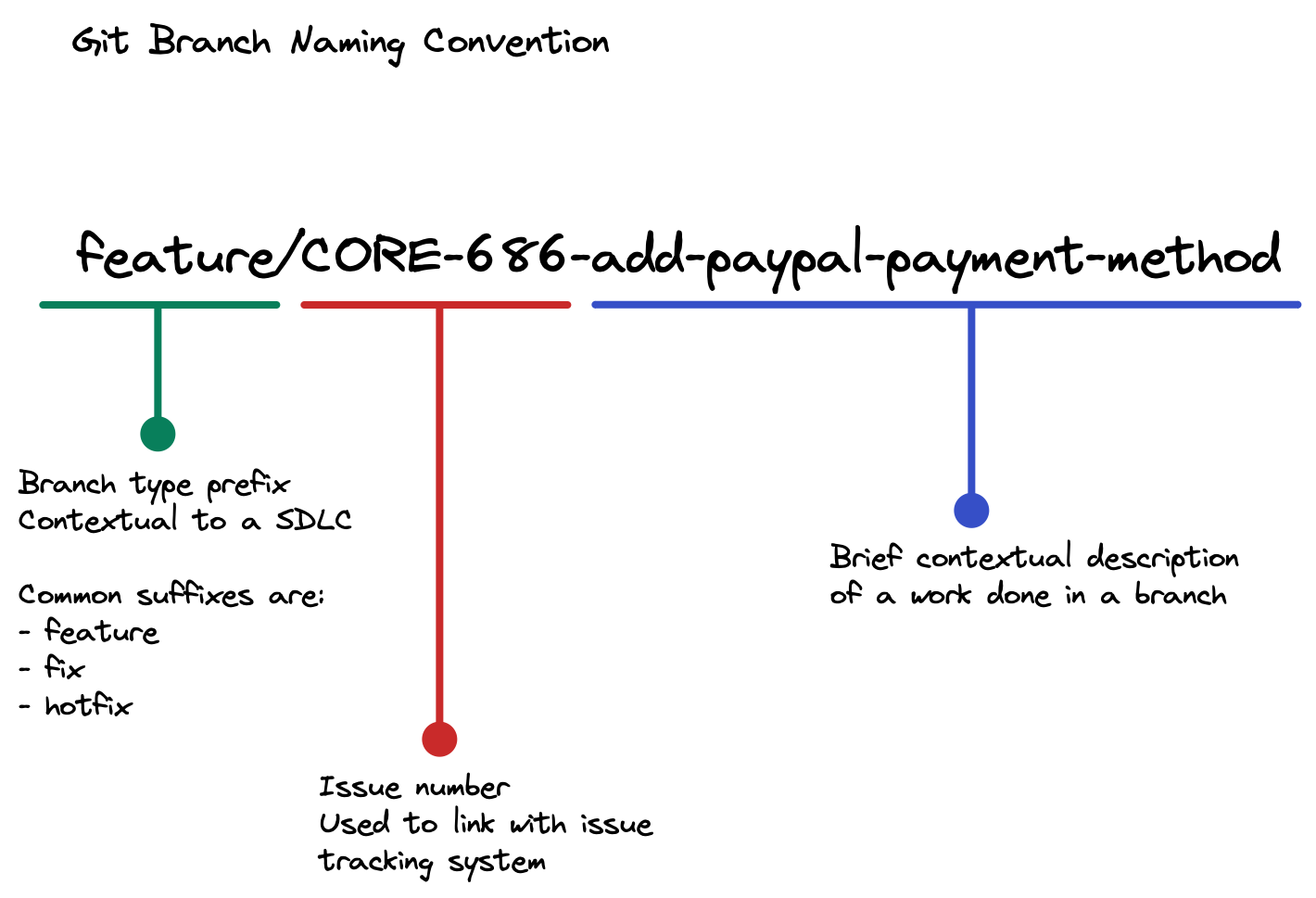
The name should say what the branch is for, to somebody who was not in the conversation where it was decided:
- Describe the work.
feature/login-pageandfix/user-profile-bug, notalex-wip-2. - Prefix by type.
feature/,fix/,hotfix/. It sorts the branch list into something readable. - Include the issue number when you have one, so the branch is traceable to the ticket without asking.
- Separate words with dashes.
- No spaces, commas or exclamation marks. They will make you quote the branch name on the command line for the rest of its life.
Then be consistent. A convention half the team follows is not a convention, and the tooling that depends on it will break on the other half.